







Whirlpool Smart Fridge Network Configuration Issues

Smart appliances like the Whirlpool smart fridge promise convenience: shopping lists on your phone, remote monitoring of temperature, and even integration with voice assistants. But for many owners, the dream is interrupted by a frustrating obstacle—network configuration issues. These can stop the fridge from syncing with apps or cause features like remote control to become unusable. I’ll break down why these problems occur, how to solve them, and share a personal story of troubleshooting one of these refrigerators at home.
Why Network Problems Happen
Although the Whirlpool smart fridge is designed for easy setup, real-world home networks are rarely perfect. The most common reasons for configuration issues include:
-
Router incompatibility with 2.4 GHz and 5 GHz bands
-
Incorrect Wi-Fi passwords entered during setup
-
Firmware that hasn’t been updated on the fridge or router
-
Weak signal strength if the fridge is far from the router
-
Conflicts caused by firewalls or network security settings
While Whirlpool’s official manuals give a step-by-step outline for setup, small details—like choosing the right Wi-Fi band—are often overlooked.
Common Symptoms
Fridge Won’t Connect to Wi-Fi
The initial setup may fail if the fridge only supports 2.4 GHz but your router defaults to 5 GHz. This is one of the most frequent complaints.
App Not Syncing
Even after connection, some owners notice that the Whirlpool app doesn’t display accurate information, or updates are delayed. This often indicates a configuration mismatch or outdated firmware.
Intermittent Disconnections
A fridge that keeps dropping off the network can be suffering from weak Wi-Fi signals or interference from other devices.
Step-by-Step Troubleshooting
Verify Network Settings
Double-check the Wi-Fi name and password. It sounds simple, but typing errors are surprisingly common. If your router has both 2.4 GHz and 5 GHz bands, ensure the fridge is set up on the 2.4 GHz network. A guide from https://manymanuals.com/ highlights this as a critical step.
Restart Devices
Unplug the fridge for a minute, restart your router, and try reconnecting. A fresh start often resolves temporary conflicts.
Update Firmware
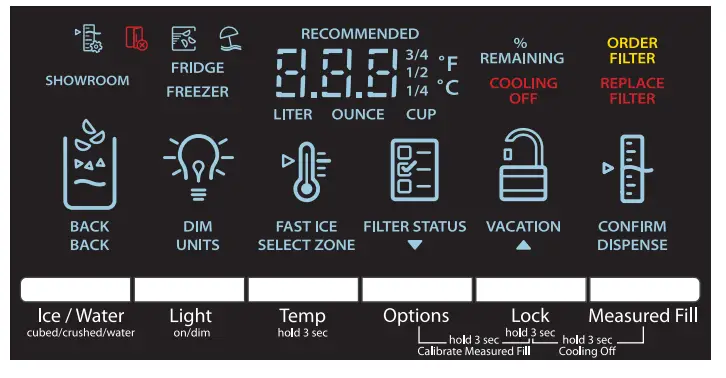
Whirlpool regularly releases updates that fix connection bugs. Use the control panel to check for firmware updates and install them before reattempting setup.
Improve Wi-Fi Strength
If the fridge is far from the router, the signal may be too weak. Move the router closer or install a Wi-Fi extender.
Reset Network Settings
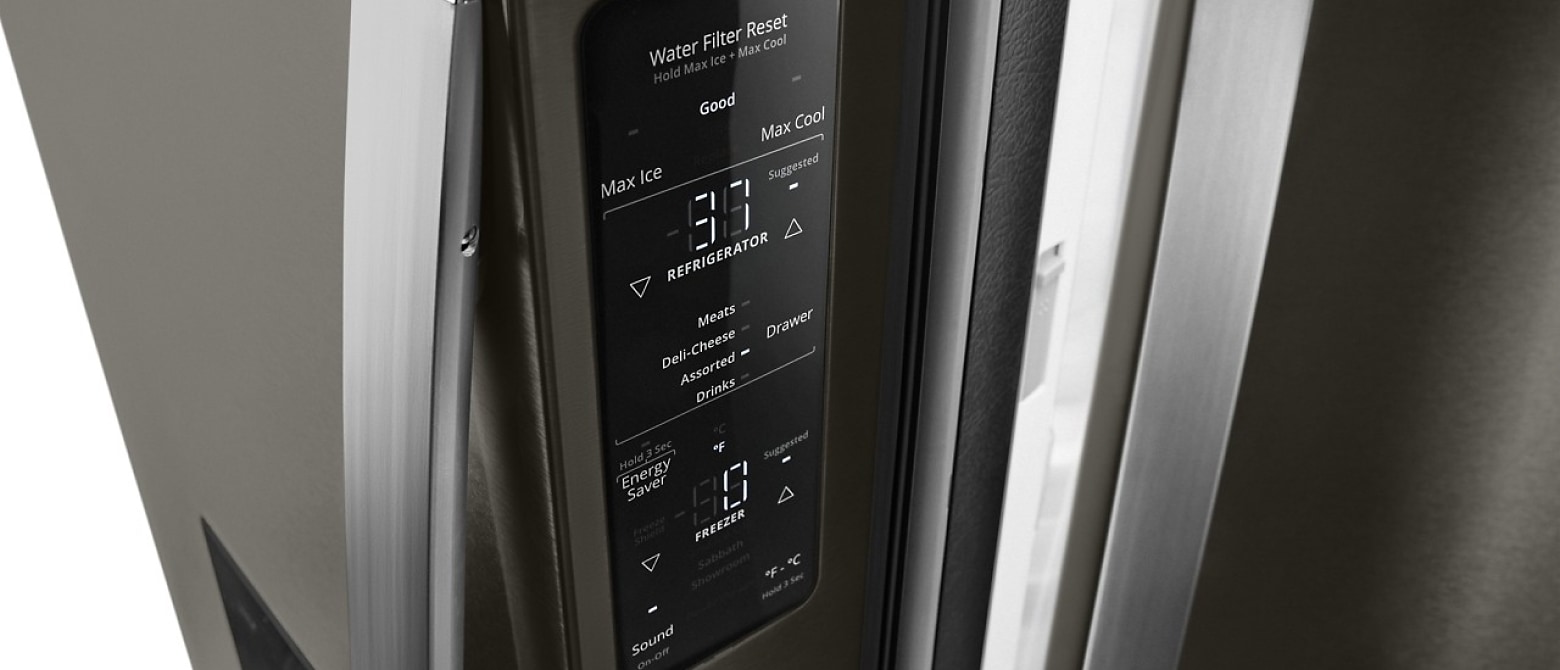
On the Whirlpool smart fridge, there’s usually an option in the settings menu to reset all network configurations. After this, you can start the setup from scratch. Resources at https://manymanuals.de/ provide detailed instructions for model-specific reset sequences.
Frequently Asked Questions
Why does my Whirlpool smart fridge only work on 2.4 GHz Wi-Fi?
Many smart appliances use 2.4 GHz because it offers better range through walls and kitchens. If your router defaults to 5 GHz, the fridge won’t connect.
Can I control the fridge remotely if it disconnects often?
No. Reliable remote features require a stable connection. Boosting Wi-Fi or resetting network settings usually fixes the problem.
What should I do if the app shows outdated information?
Update both the Whirlpool app and the fridge firmware. If that doesn’t help, remove the appliance from the app and re-add it.
Is there a way to confirm whether the problem is with the fridge or my router?
Yes. Try connecting the fridge to a mobile hotspot. If it connects easily, the issue lies with your home router configuration.
Where can I find detailed reset and setup instructions?
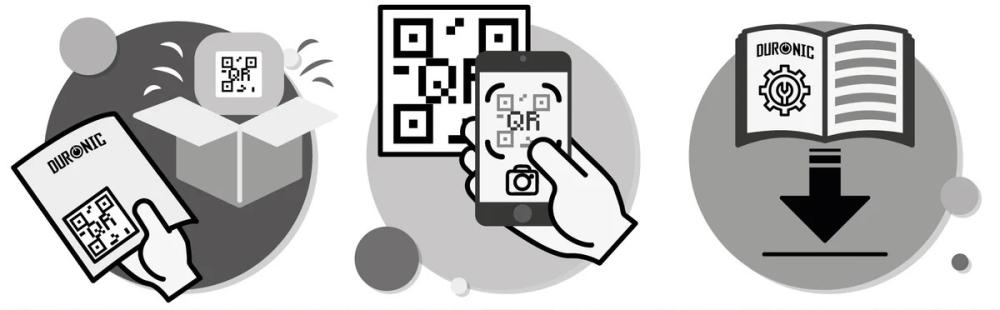
Documentation hosted on https://manymanuals.com/ and multilingual guides on https://manymanuals.de/ provide step-by-step explanations tailored to Whirlpool smart fridge models.
A Real-Life Experience
A friend of mine purchased a Whirlpool smart fridge hoping to use the remote monitoring feature while traveling. The setup went smoothly at first, but a few days later, the fridge dropped off the network and refused to reconnect. He tried entering the Wi-Fi password again and again, but nothing worked.
I visited to help, and the first thing we checked was his router. It turned out he had combined SSIDs for his 2.4 GHz and 5 GHz bands. The fridge kept trying to connect to the 5 GHz band, which it didn’t support. Following a walkthrough I found on manuals, we split the two networks. Once we connected the fridge specifically to the 2.4 GHz band, the connection stabilized instantly.
Later, he encountered another hiccup: the Whirlpool app stopped updating the temperature readings. After searching through troubleshooting resources on https://manymanuals.com/, we realized the fridge’s firmware hadn’t been updated in months. Once the update installed, the app began syncing normally again.
He told me later that without clear guides, he would have assumed the fridge was defective. Instead, the fixes were all about proper network configuration.
Preventing Future Issues
-
Keep your Wi-Fi networks separated if your router supports dual-band.
-
Update firmware regularly on both the fridge and router.
-
Avoid placing the router behind walls or metal appliances that block signals.
-
Reset network settings if errors persist after multiple attempts.
-
Check Whirlpool’s app permissions on your phone to ensure smooth syncing.
Why Reliable Documentation Matters
Smart appliances blur the line between kitchen hardware and digital devices. Troubleshooting requires both technical and practical know-how. While Whirlpool’s official manuals provide a foundation, user-focused platforms like https://manymanuals.com/ and multilingual resources such as https://manymanuals.de/ give clearer instructions with real-world scenarios.
By combining these guides with systematic troubleshooting, most Whirlpool smart fridge network problems can be solved without calling a technician. With patience and the right resources, owners can restore full functionality and enjoy the smart features that make these refrigerators stand out.


